
Advanced example
Node Affinity
Target burst nodes by provider or NodePool. No affinity, provider affinity, nodepool affinity.
Pods do not need to specify cloudburst.io/nodepool or cloudburst.io/provider. These labels are applied to nodes from the NodePool template. Use nodeAffinity when you want to target specific providers or NodePools.
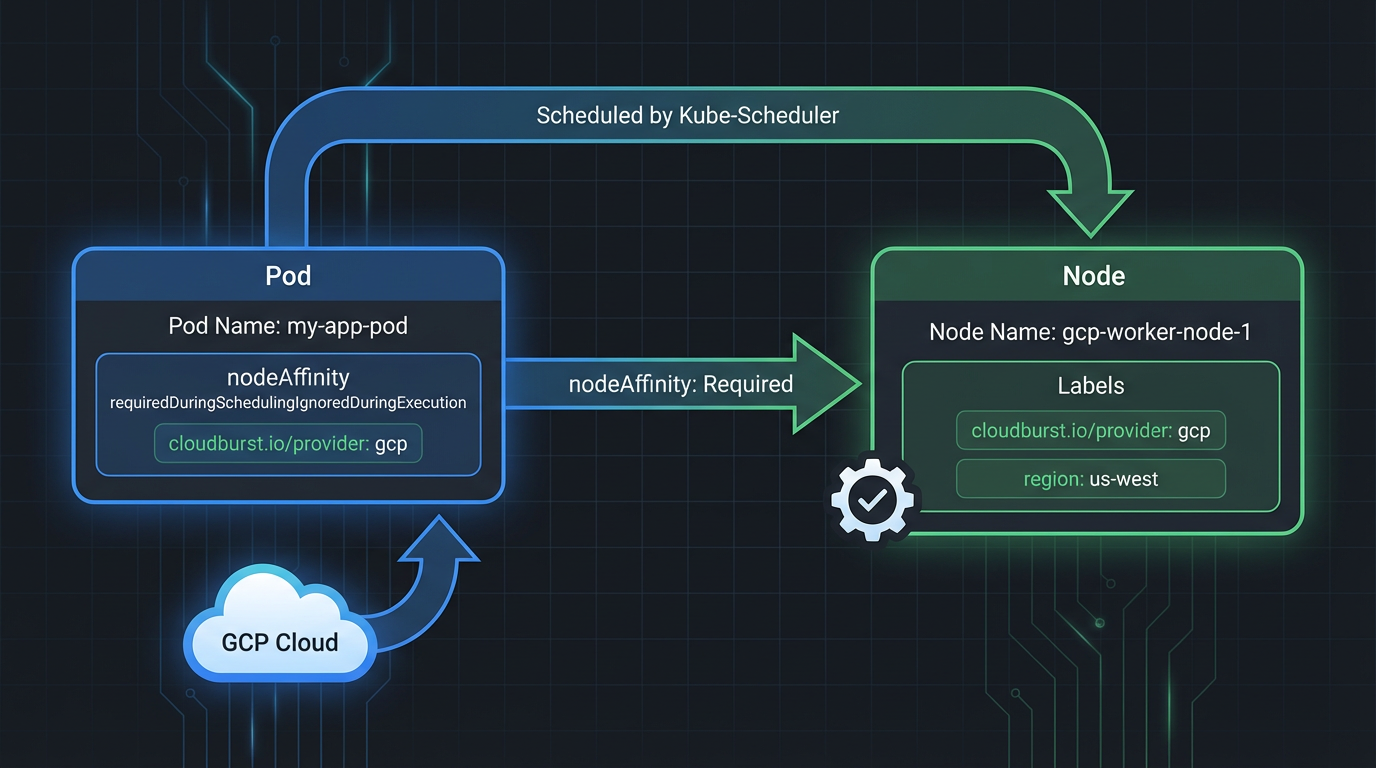
Scheduling behavior
| Pod has | Effect | Use when |
|---|---|---|
| No nodeSelector/nodeAffinity | Can land on any burst node with capacity | Any workload, don't care which cloud |
cloudburst.io/provider: gcp |
Only lands on nodes from a GCP NodePool | Must run on GCP specifically |
cloudburst.io/nodepool: my-pool |
Only lands on nodes from that NodePool | Multi-pool setup, explicit routing |
Example 1: No affinity (any burst node)
apiVersion: v1
kind: Pod
metadata:
  name: any-node-workload
  namespace: default
spec:
  containers:
  - name: workload
    image: busybox:1.36
    command: ["sleep", "infinity"]
    resources:
      requests:
        cpu: "1500m"
        memory: "2Gi"
  # No nodeSelector or nodeAffinity — scheduler places on any burst node with capacity
Example 2: Provider affinity (GCP only)
apiVersion: v1
kind: Pod
metadata:
  name: gcp-only-workload
  namespace: default
spec:
  containers:
  - name: workload
    image: busybox:1.36
    command: ["sleep", "infinity"]
    resources:
      requests:
        cpu: "1500m"
        memory: "2Gi"
  affinity:
    nodeAffinity:
      requiredDuringSchedulingIgnoredDuringExecution:
        nodeSelectorTerms:
        - matchExpressions:
          - key: cloudburst.io/provider
            operator: In
            values: ["gcp"]
Example 3: NodePool affinity (specific pool)
apiVersion: v1
kind: Pod
metadata:
  name: nodepool-workload
  namespace: default
spec:
  containers:
  - name: workload
    image: busybox:1.36
    command: ["sleep", "infinity"]
    resources:
      requests:
        cpu: "1500m"
        memory: "2Gi"
  affinity:
    nodeAffinity:
      requiredDuringSchedulingIgnoredDuringExecution:
        nodeSelectorTerms:
        - matchExpressions:
          - key: cloudburst.io/nodepool
            operator: In
            values: ["gcp-nodepool"]
kubectl commands
# Apply one of the pod examples above (ensure NodePool + NodeClass exist)
kubectl apply -f pod-example.yaml

# Verify pod scheduling
kubectl get pods -o wide

# List nodes by provider
kubectl get nodes -l cloudburst.io/provider=gcp

# List nodes by NodePool
kubectl get nodes -l cloudburst.io/nodepool=gcp-nodepool
Multiple NodePools
With several NodePools (e.g. GCP, Scaleway, Hetzner), each sees the same global unschedulable demand and may create nodes independently. Which node the pod lands on depends on which nodes match the pod's affinity (if any) and scheduler decisions.