
Provider example

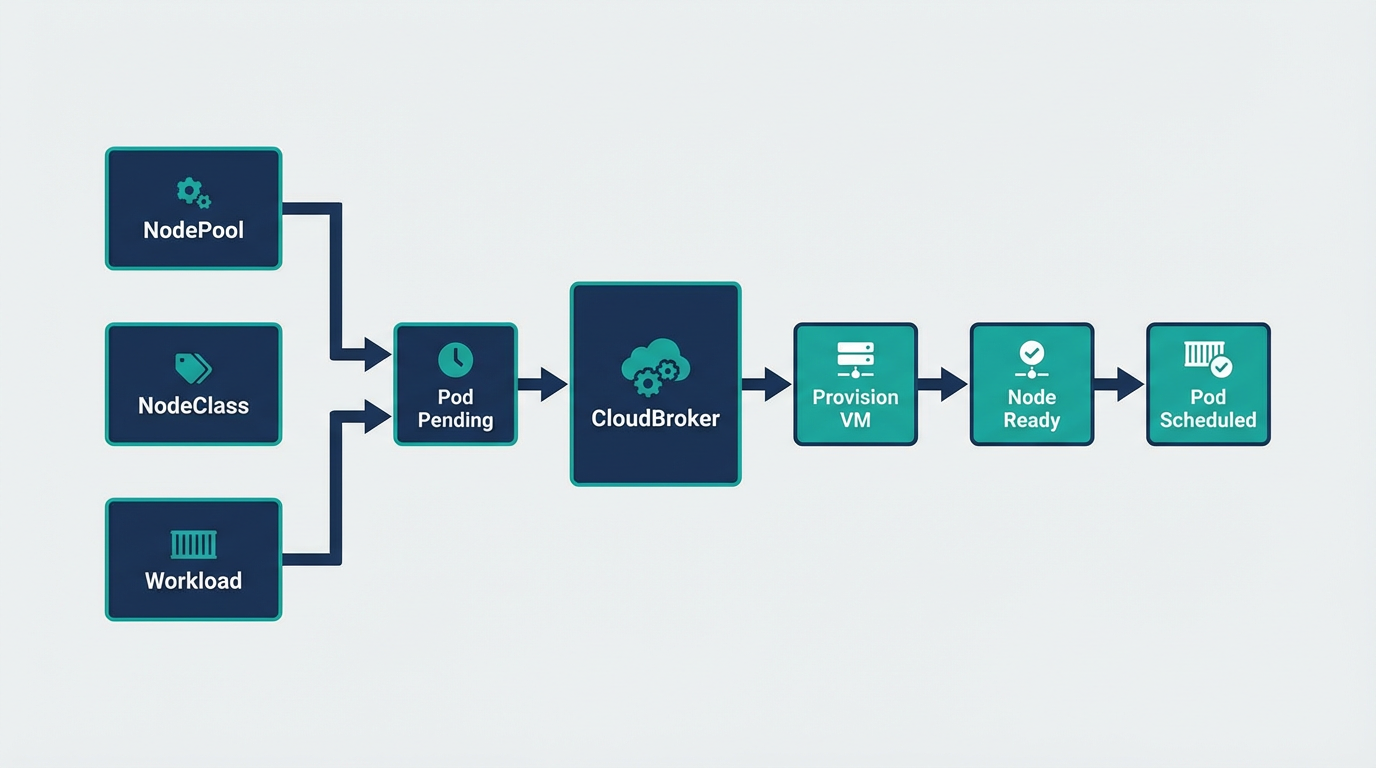
DigitalOcean — NodePool, NodeClass & Workload
Full manifests and kubectl commands for DigitalOcean.
Replace placeholders
<HOST_TAILSCALE_IP>→ Kind control-plane Tailscale IP
Ensure secrets exist: tailscale-auth, digitalocean-api-token.
1. Create secrets
# Tailscale auth key (required by NodeClass)
kubectl create secret generic tailscale-auth --from-literal=authkey="<YOUR_TAILSCALE_AUTHKEY>" -n default

# DigitalOcean API token
kubectl create secret generic digitalocean-api-token --from-literal=DIGITALOCEAN_API_TOKEN="<YOUR_DIGITALOCEAN_API_TOKEN>" -n default
2. NodePool
apiVersion: cloudburst.io/v1alpha1
kind: NodePool
metadata:
  name: digitalocean-nodepool
  namespace: default
spec:
  requirements:
    regionConstraint: "ANY"
    arch: ["x86_64"]
    maxPriceEurPerHour: 0.15
    allowedProviders: ["digitalocean"]
  limits:
    maxNodes: 3
    minNodes: 0
  template:
    labels:
      cloudburst.io/nodepool: "digitalocean-nodepool"
      cloudburst.io/provider: "digitalocean"
  disruption:
    ttlSecondsAfterEmpty: 60
    ttlSecondsUntilExpired: 3600
  weight: 1
3. NodeClass
apiVersion: cloudburst.io/v1alpha1
kind: NodeClass
metadata:
  name: digitalocean-nodeclass
  namespace: default
spec:
  digitalocean:
    region: "nyc1"
    image: "ubuntu-22-04-x64"
    apiTokenSecretRef:
      name: digitalocean-api-token
      key: DIGITALOCEAN_API_TOKEN
  join:
    hostApiServer: "https://<HOST_TAILSCALE_IP>:6443"
    kindClusterName: "cloudburst"
    tokenTtlMinutes: 60
  tailscale:
    authKeySecretRef:
      name: tailscale-auth
      key: authkey
  bootstrap:
    kubernetesVersion: "1.34.3"
4. Workload (triggers burst; targets DigitalOcean nodes)
apiVersion: v1
kind: Pod
metadata:
  name: digitalocean-workload
  namespace: default
spec:
  containers:
  - name: workload
    image: busybox:1.36
    command: ["sleep", "infinity"]
    resources:
      requests:
        cpu: "1500m"
        memory: "2Gi"
  affinity:
    nodeAffinity:
      requiredDuringSchedulingIgnoredDuringExecution:
        nodeSelectorTerms:
        - matchExpressions:
          - key: cloudburst.io/provider
            operator: In
            values: ["digitalocean"]
5. Apply and verify
# Save the manifests above to digitalocean-example.yaml, then:
kubectl apply -f digitalocean-example.yaml

# Watch NodeClaim creation
kubectl get nodeclaims -w

# Once node is Ready, verify pod
kubectl get pods -o wide
kubectl get nodes -l cloudburst.io/provider=digitalocean